Firefox adds new Privacy Protections in latest version 37.0
For those that enjoy want to stop companies from automatically tracking them there's a new option you can enable.
Just
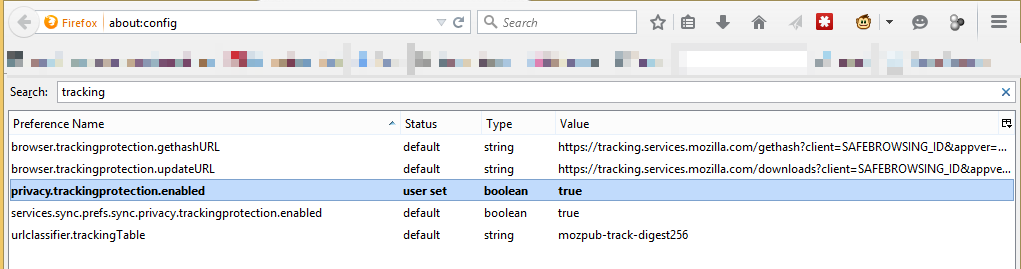
- put about:config into the address bar and hit enter
- Type tracking in the search bar at the top
- find privacy.trackingprotection.enabled and set value to: true (just double click it).
- Enjoy watching for the shield :)

------------------------------